MarkNode / local-first markdown / v2.2.2
Plan it as a map. Write it in Markdown. Restructure by dragging.
For students planning an essay, writers outlining a book, and course authors structuring a curriculum — write in Markdown, see it as a live mind map, and drag nodes to reorder the prose. Your files stay on your disk.
Mind Map IS Markdown
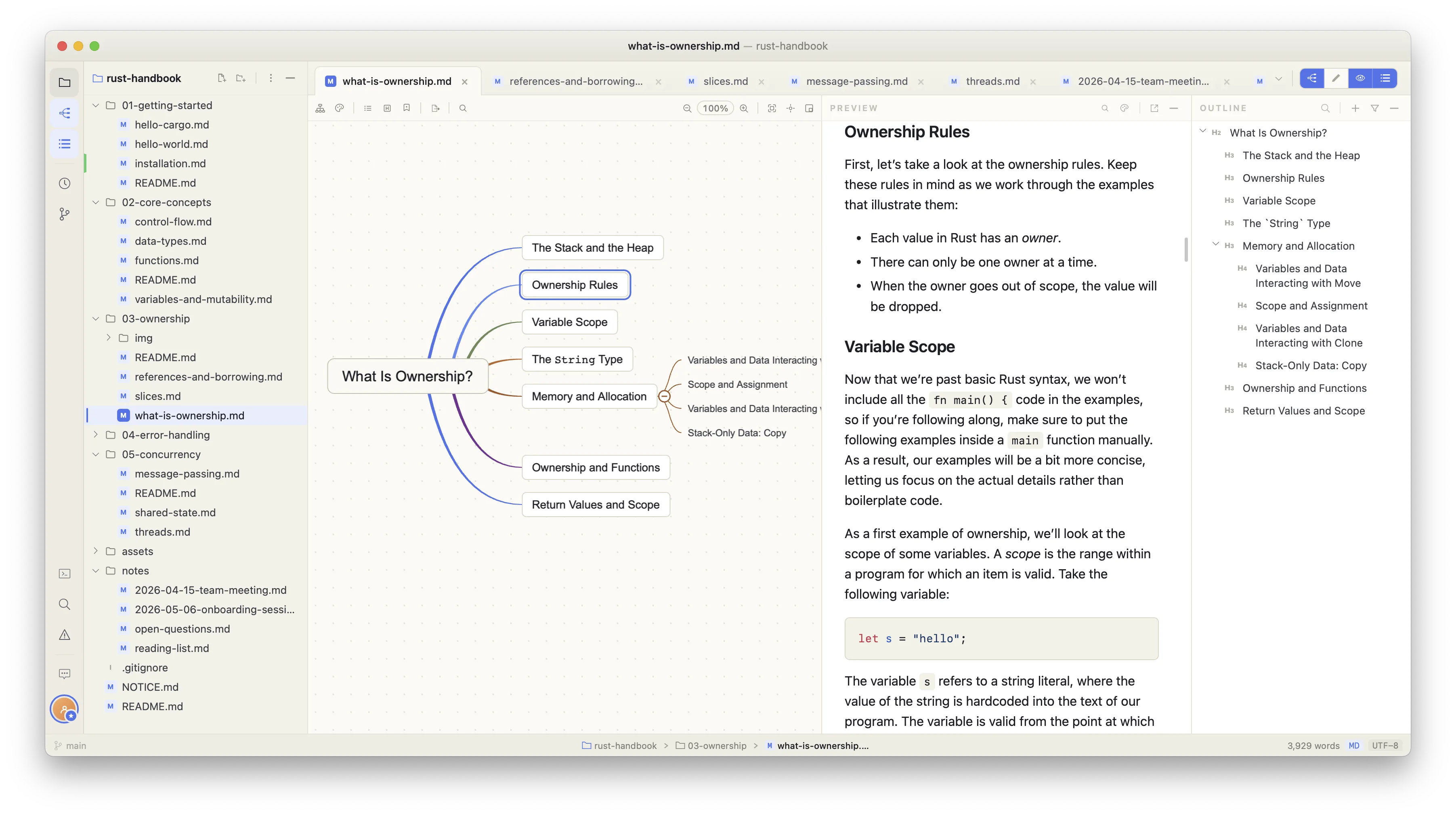
No importing, no exporting. Markdown headings are mind map nodes — edit either side and the other updates instantly.
Your Data, Your Disk
Plain Markdown files in regular folders. Sync with Git, Dropbox, or any service. No proprietary format, no vendor lock-in.
Built with Rust
Lightweight and blazing fast. Launches instantly, handles large documents smoothly, and stays out of your way.
— Who it's for —
Built for the way you actually think.
Start with structure, then write. Or write and watch the structure emerge. Either way, your Markdown file is always the source of truth.
Students & researchers
Map out an essay or thesis as a mind map first, then write each section in Markdown. Drag branches to try a different argument order — the prose reorders to match.
Writers & authors
Outline a book or article as a map, write each chapter in Markdown, then restructure by dragging nodes. The document is always the authoritative draft — no separate outline file to keep in sync.
Technical writers & course authors
Structure a course, curriculum, or documentation set as a map. Write each lesson or section in Markdown. Reorder modules by dragging nodes — the document reorders to match.
— Visual thinking —
Unlock the power of non-linear thinking.
Visualise ideas in a non-linear format to explore connections, uncover patterns, and organise your thoughts intuitively — all while your work syncs instantly to Markdown.
Edit in the mind map and Markdown updates. Edit Markdown and the mind map updates. Instantly.
— Customisation —
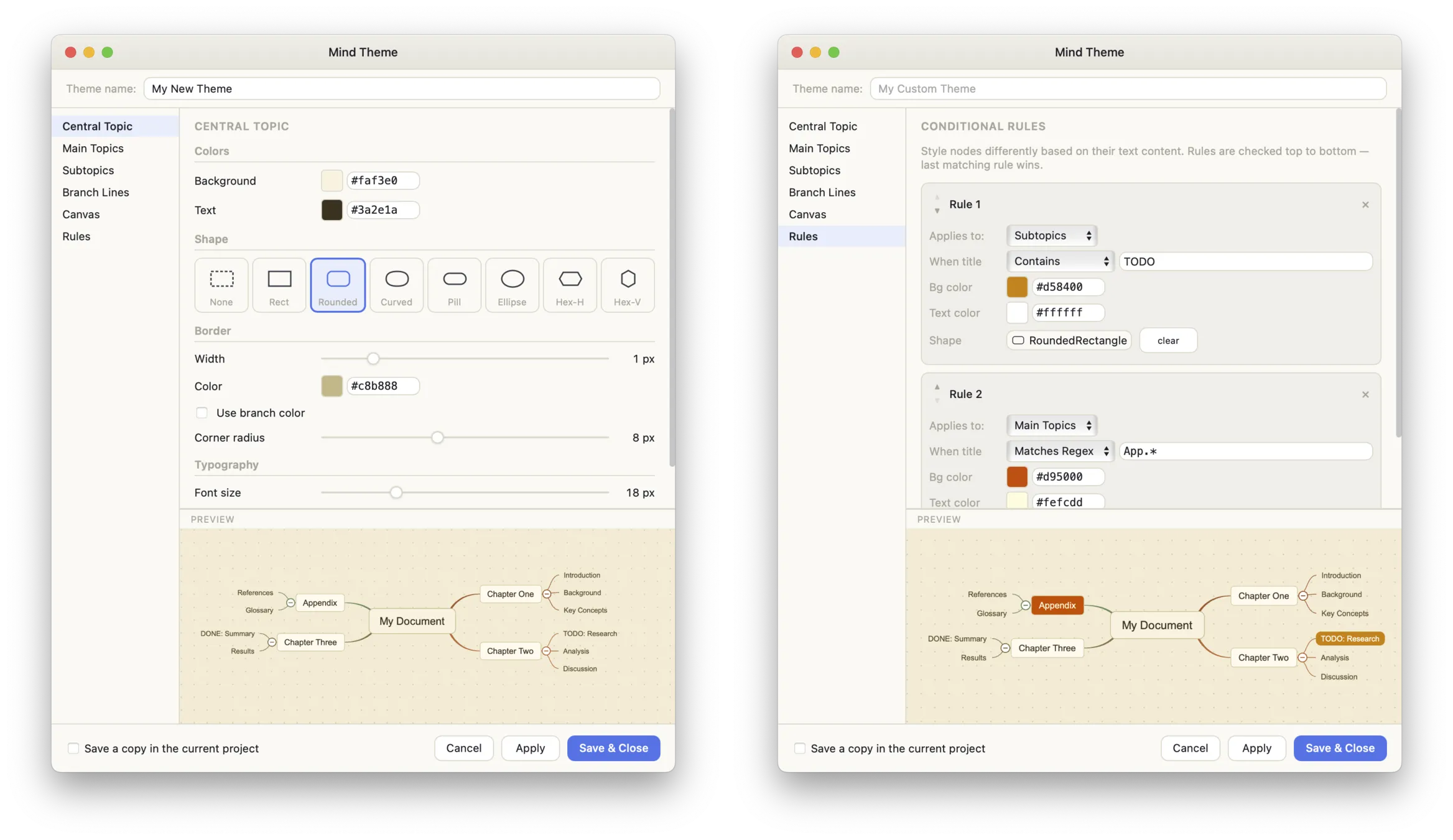
Make it yours — fully customisable themes.
Customise colours, shapes, line styles, and even conditional styling with regex support. Create mind maps that look exactly the way you want. Save themes per-project or share them via JSON.
— Quick Look —
Press Space. See it rendered.
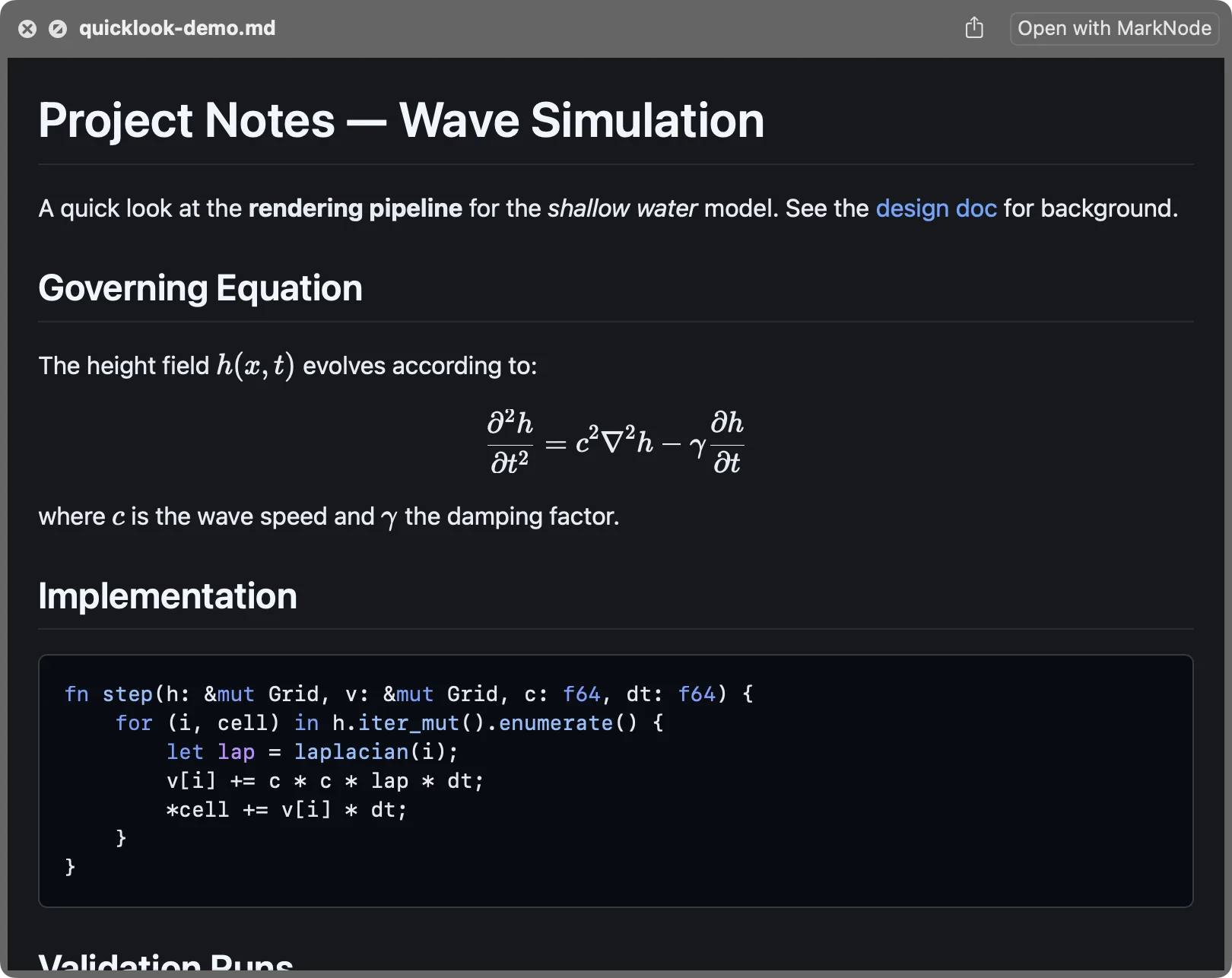
Preview any Markdown file straight from Finder — headings, typeset math, syntax-highlighted code, and Mermaid diagrams, all without opening the app. Previews match your Mac's light or dark appearance automatically.
Learn how to set it up →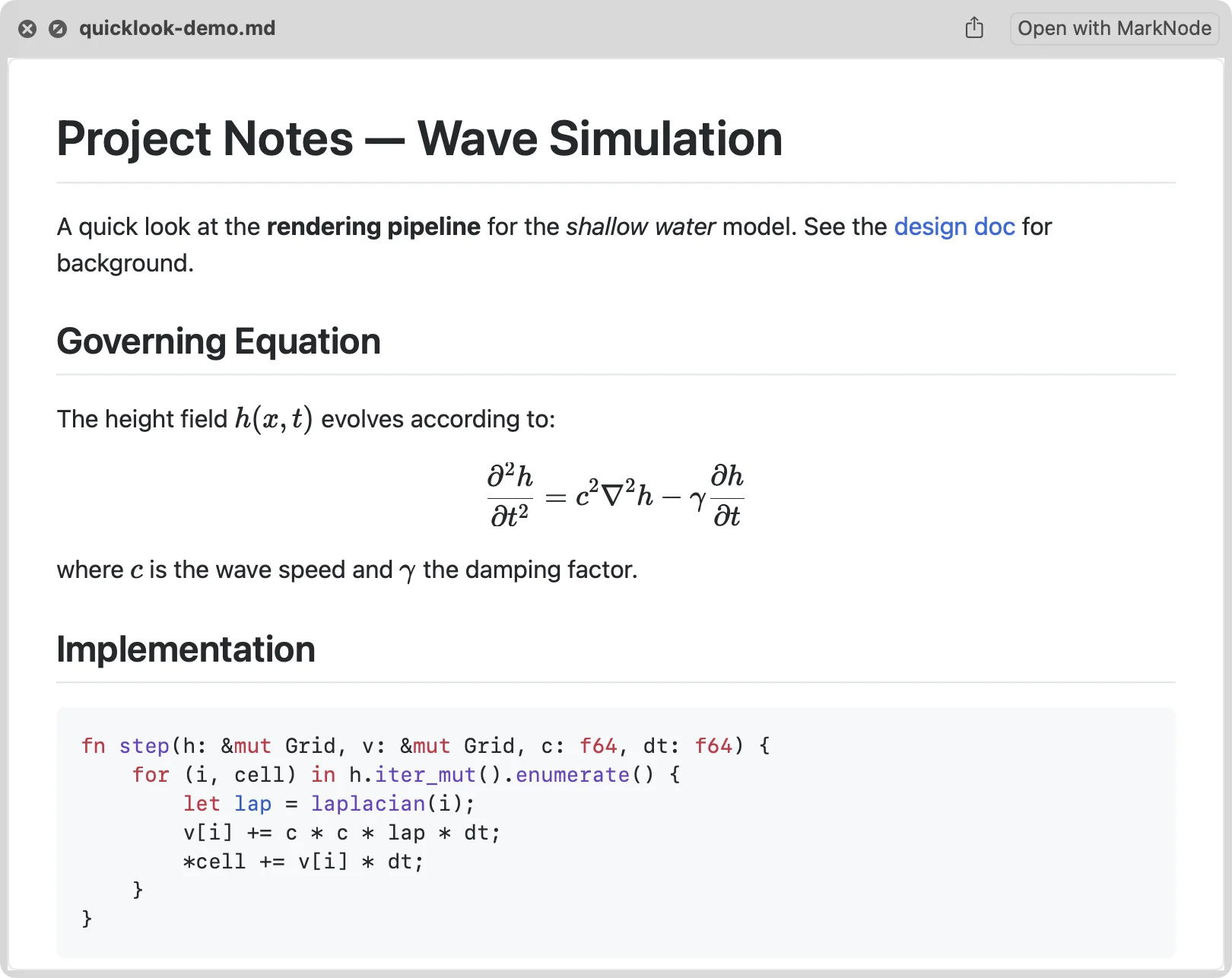
— One workspace —
Everything you need, all in one place.
A complete workspace for writing, organising, and collaborating — without switching between apps.
Outline View
Collapsible heading tree that updates as you type. Click any item to jump straight to that section.
Full-Text Search
Search across your entire project instantly. Find any text, note, or idea in seconds.
Git Integration
Built-in commit, push, and pull. Colour-coded file status badges in the project tree.
Built-in Terminal
A full terminal right in your workspace. Run commands without leaving the editor.
AI Writing Assistant
Describe what you want in plain language. AI suggests changes inline — you accept or reject.
Real-time Collaboration
Share a short code, co-edit instantly. CRDT-powered conflict-free merging.
— How it differs —
Where MarkNode fits.
The market splits into read-only maps and map-first apps. MarkNode occupies the middle: a document-first editor whose map you can actually edit.
vs read-only mind-map plugins
e.g. Markmap, Obsidian Mind Map
These render your Markdown as a map you can look at, but not edit. In MarkNode, the map is a live view you can edit — drag a node and the Markdown reorders.
vs map-first apps
e.g. XMind, MindNode
These treat Markdown as a secondary import or export format. MarkNode is Markdown-native: the plain-text file is always the source of truth, and the map is a view of it — not the other way around.
— Project organisation —
Organise your way.
Arrange your documents with drag-and-drop simplicity. Move files around and all Markdown links and image paths update automatically. Respects .gitignore for clean project views.
— Multi-project —
Multiple projects, zero context switching.
Open multiple projects in separate windows and work on them simultaneously. Drag files between projects, copy and paste across windows, and stay focused without losing your place.
— Export & sharing —
Share your work, your way.
Export to Microsoft Word (.docx) with configurable page layout. Save mind maps as PNG images. Share mind maps via a URL that anyone can view in a browser — no installation required.
- DOCX export with page size, margins, and orientation settings
- Mind map to PNG with automatic naming
- Shareable mind map URLs — viewable in any browser
Free, forever.
Available on macOS, Windows, and Linux. Code-signed and Apple-notarised — no card required.
Using it commercially, or want hosted AI and team collaboration? See pricing.